A label on every cable
Every cable got a flag before the rack was re-plugged, printed from the same port maps that configure the switches. The label printer kept failing with a data error. Bringing its browser window to the front fixed it.
The rack was about to be switched off, pulled apart and put back together. One rule came first: label, then pull. No cable leaves its port before both of its ends carry a flag, and a flag goes around a cable that is still plugged in — so the switch end is never loose while it is being named.
The text came from the port maps
Every switch port in this network is declared in a repository: which port, which zone, what sits at the other end. Those port maps are what the pipeline applies to the switches, so they are the one list that cannot quietly differ from the running configuration. The flag text was generated from them — switch and port on one line, the device at the far end on the other, identical on both pads of the flag.
The same maps produced one colour page per switch: tycaccess, tyccore
and tycpoe, each drawn the way it actually stands — upright, the end with
the status lights at the top, port 1 at the bottom. Every port is coloured
by its zone and has a box beside it with the far end and a square to tick.
Which column holds the even ports was read off the print on the front panel
in an older photo of the open rack, not assumed. A page per switch was
enough; the largest sheet carries 21 ports and stays readable.
The first set of flags covered every cable that does not run between a node and a switch — sixteen cables, two flags each — plus one flag per node. The node-to-switch cables followed in a second set that evening.
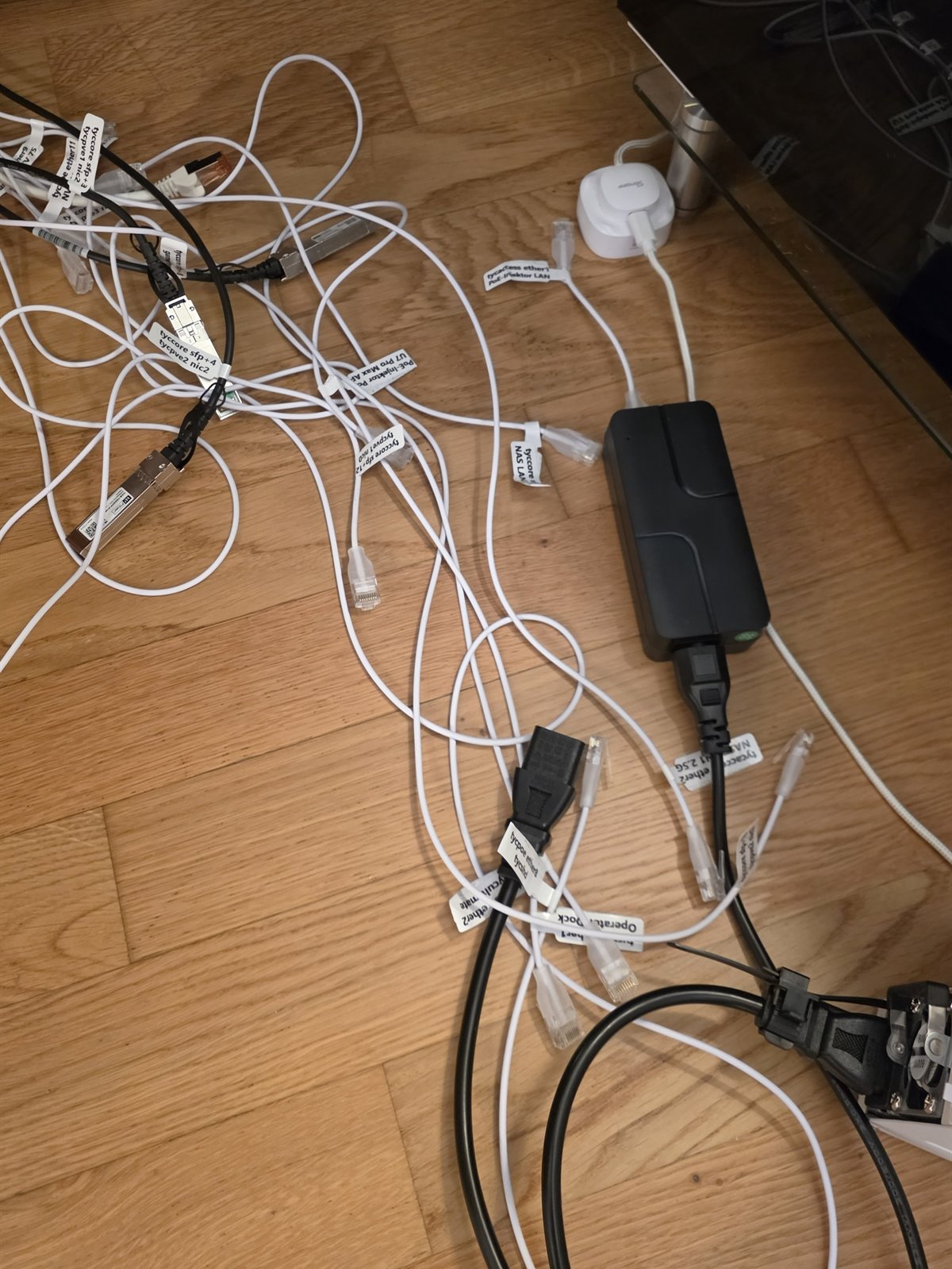
The night of 18 to 19 September 2026: the cables out of the rack, a flag at each end.
Two printers, neither takes the obvious input
The label printer is a pocket thermal printer that speaks Bluetooth Low Energy and nothing else. The Linux environment the work runs in has no Bluetooth at all, but the browser on the same PC does. So the printing ran from a small local page in that browser, with the printer library copied next to it rather than loaded from the internet — the network it would have loaded from was the thing about to be switched off. The one step that stays manual is the browser’s pairing dialog: a page may ask for a Bluetooth device, only a person may pick one.
The paper printer on the LAN advertises no PDF support over its print protocol — only JPEG and two raster formats — and it rejects a second job while the first is still printing. The port sheets were rendered to one image per page and sent one at a time, each waiting for the printer to report idle again.
The data error that was a covered window
The first test flag printed cleanly. The first real job failed with the printer’s error 6, a data error, before anything came out. So did the next, and the next.
| Attempt | What preceded it | Result |
|---|---|---|
| 1 | first connection of the day | printed |
| 2 | page reloaded, reconnected, two copies requested | data error |
| 3 | reconnected, one copy | data error |
| 4 | same connection again | data error |
| 5 | printer restarted, charger unplugged, fresh connection | printed |
| 6 | same connection, batch of 31 | first flag printed, then stopped by hand |
| 7 | reconnected, no restart | data error after 37 seconds |
That table reads like a printer that needs a restart before every job, and for a while it was treated as one. It was wrong. A completely fresh page, a fresh connection and a restarted printer still moved three image rows in five seconds.
A flag is up to 872 rows of pixels, and the library sends each row as its own packet with a ten-millisecond pause before it. Browsers slow the timers of a tab nobody can see. Measured in the covered tab, a ten-millisecond timer took 508 milliseconds. At that pace one flag takes minutes, and the printer gives up on the transfer long before the last row arrives.
With the browser window in front, the next flag printed in 22 seconds — with no printer restart after the previous data error. The remaining thirty ran at about eleven seconds each. So the restart, the charger and the copy count were never the cause.
The browser window has to stay visible for as long as a job is printing.
What stays
The second set went through a small command-line program that speaks Bluetooth from the PC’s own operating system, with no browser and no timers to slow down. Its first live run printed at the same eleven to twelve seconds per flag.
One thing the port maps could not answer: they name a node’s interfaces, not the physical sockets of a two-port card. Which socket carries the direct link between the first two nodes came out of an old kernel log line that names the card’s port next to the interface.
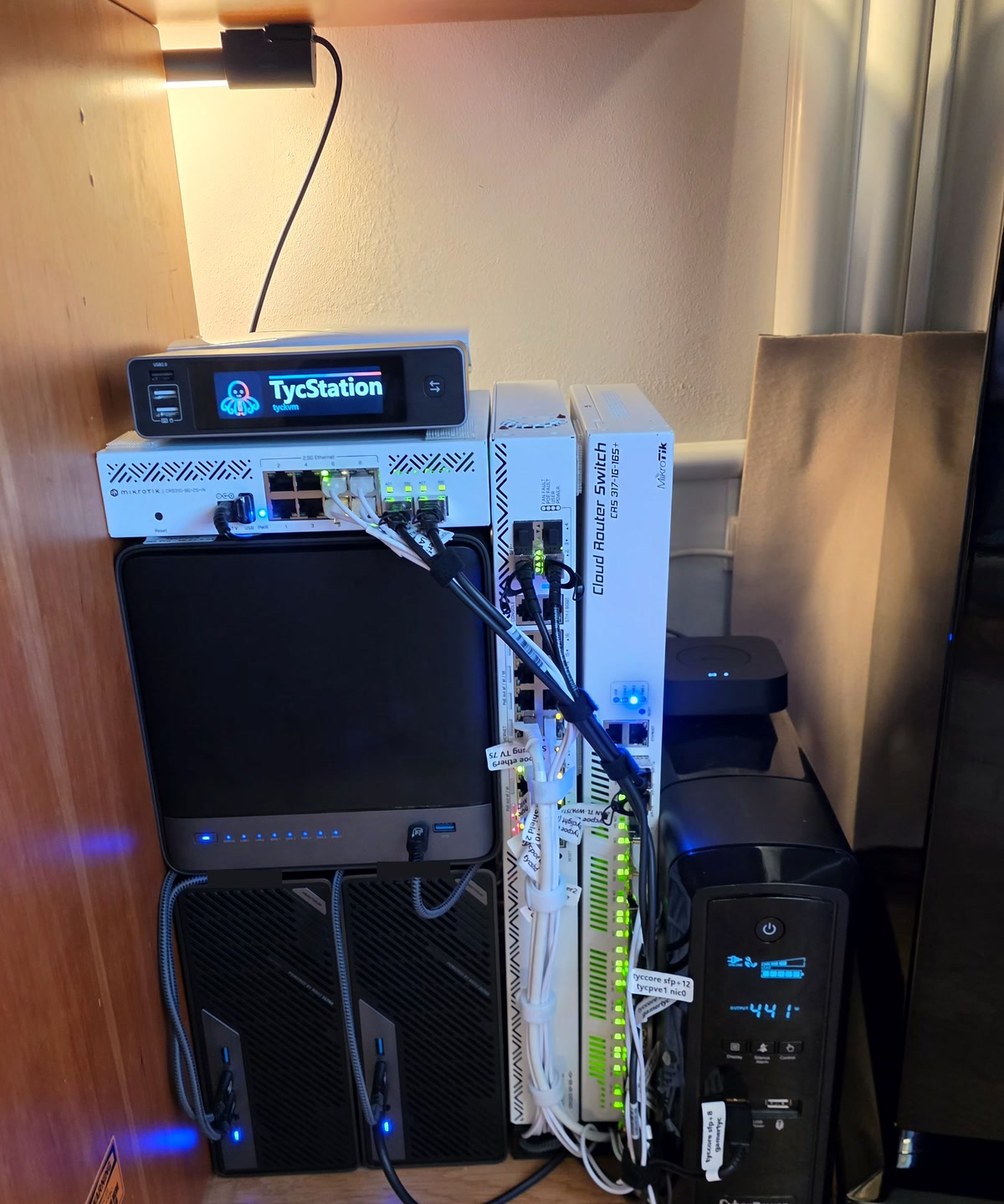
20 September 2026: the rack re-stacked and re-plugged, every cable flagged.